Case StudyData Sync & Enrichment (Instant CRM Setup)
Turning Gmail into an “instant CRM” through warm‑start data and enrichment
Project Overview
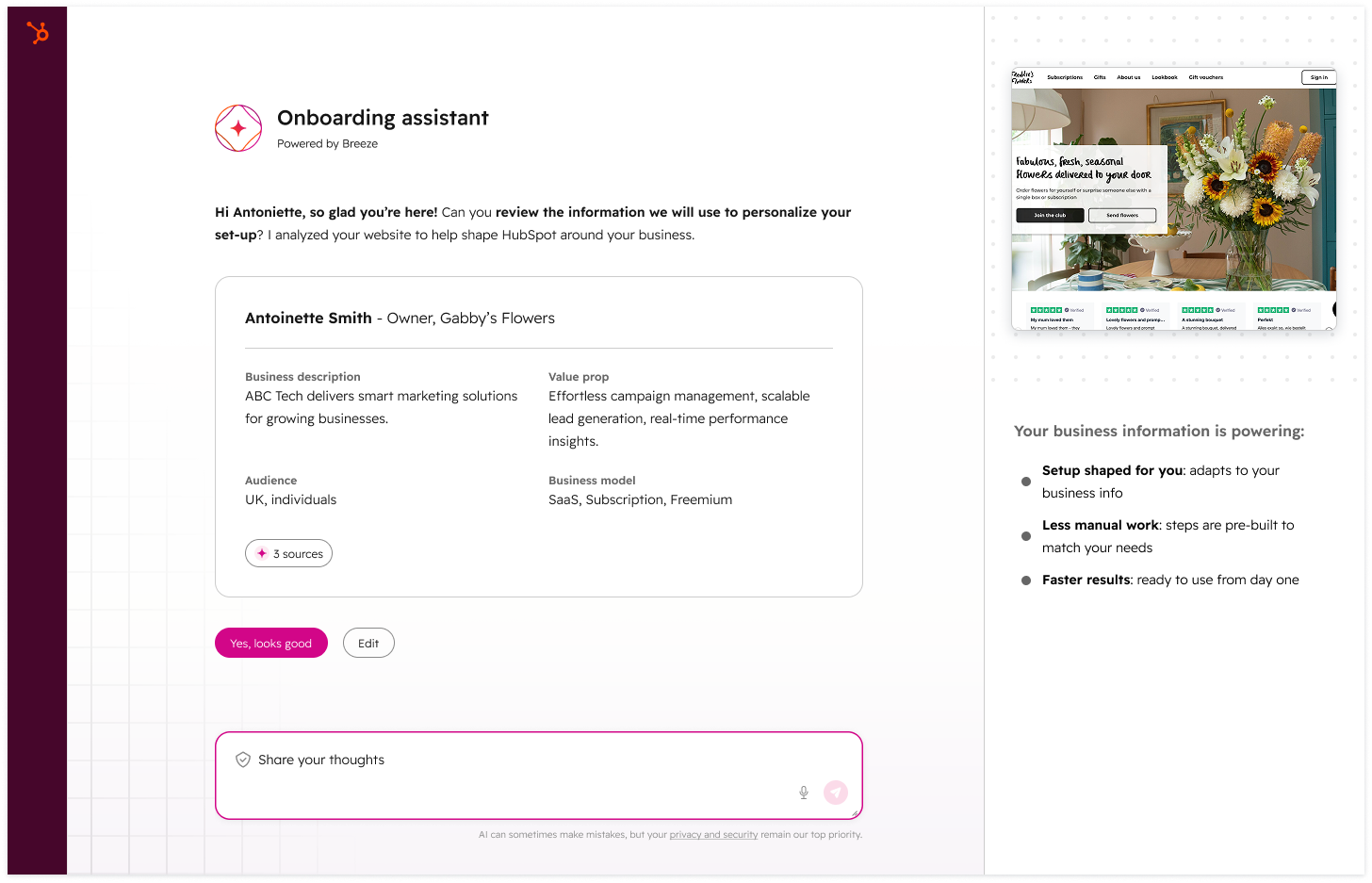
Before AI‑First, new portals frequently felt empty: no real contacts, no meaningful segments, and no obvious next step. As part of the AI‑First Onboarding program, I led design on Instant CRM Setup via Third‑Party Email Data:
Connect Gmail
Pull in the right people and companies
Enrich them enough to feel immediately usable
Set up smart lists and insights that feed into onboarding (Case Study 3)
The intent: make the CRM feel like “something real” within minutes, so onboarding can focus on actions rather than data entry.
Problem
We saw a few recurring issues with early‑stage CRM customers:
Portals stayed empty or under‑used for weeks
Import flows felt risky or confusing (“What exactly are you pulling from Gmail?”)
Even when data came in, it wasn’t organized in a way that made next steps obvious
We needed a flow that:
Was clear and respectful about what we import and why
Produced a warm, usable CRM right away
Connected cleanly to Smart Lists & Insights and the broader AI‑First experience
Role & Team
My role: Lead IC Product Designer for the early Gmail / third‑party email data track.
Partners:
PM for AI‑First Onboarding
Data / ML engineers on enrichment and deduplication
Growth partners focused on activation metrics
Solution at a Glance
We broke the effort into three milestones:
Warm Start: Import contacts, companies, and basic email history from Gmail, with clear permissions and preview.
Recommended Contact Lists: Use signals (frequency, recency, thread patterns) to propose Smart Lists (prospects, customers, internal contacts, etc.).
Contact Summary & Insights: Surface helpful insights (recent conversations, relationship strength) and tie them into onboarding actions.
Process
1. Milestone‑based project plan
I authored a project plan that defined:
Milestones, design scope, and dependencies
The UX we needed for permissions, connection, import progress, and error handling
How each milestone connected to onboarding outcomes (activation, first value, task completion)
This plan became the reference point for PM/Eng planning and for later AI‑First roadmap work.
2. Designing the connection & import experience
For the connection and import flow I:
Mapped the journey from “Connect Gmail” → consent screens → initial sync → contact/company creation
Designed screens that made it obvious:
What data is being accessed
How it will be used in HubSpot
How to pause/stop or disconnect later
Included a post‑import state that doesn’t just say “Import complete” but shows concrete outcomes:
“We’ve created X contacts and Y companies”
Links to review, filter, and clean
A big focus was balancing confidence and control: enough automation to feel magical, but enough transparency to feel safe.
3. Structuring enriched records for immediate use
Working with enrichment and data teams, I defined:
Which fields we should enrich right away (e.g., job title, company, location, basic firmographics), and how to visually differentiate enriched vs. user‑entered data
How enriched contacts and companies appear in:
Contact record
List builder filters
Onboarding tasks and Global Home cards
I pushed for simple, legible attributions (e.g., small “from Gmail” hints, info icons explaining enrichment) to avoid the “mystery meat” feeling where data seems to appear from nowhere.
4. Connecting to Smart Lists & Insights
Because Smart Lists (Case Study 3) depended heavily on email‑driven signals, I:
Coordinated closely with that track so we didn’t duplicate logic in two places
Ensured contact and company objects exposed the right fields/tags for Smart Lists to query (e.g., “recent conversations”, “high interaction frequency”)
Helped define how Smart Lists are introduced after import—using in‑app education and onboarding prompts, not just burying them in Lists
Outcomes
A structured plan and UX foundation for turning third‑party email into a warm, enriched CRM, adopted by PM/Eng as the backbone of this track.
A connection flow that balances automation with control, setting a tone of transparency around data use.
Clean integration points for Smart Lists & Insights, enabling richer onboarding experiences without tacking on more separate setup.
Data Sync & Enrichment (Instant CRM Setup) – Outcomes
Customer impact
In the Gmail Data Sync experiment, portals in the sync variant hit the “Data In” milestone at 24.3% vs 10.2% in control—a +14.1‑point absolute lift, more than 2× the baseline.
Among synced portals specifically, “Data In” reached 67.2%, showing how powerful warm‑start CRM setup is once customers actually complete sync.
Other early value metrics (Initial Value, Generate Leads, etc.) stayed roughly flat (e.g., Initial Value 13.97% → 13.53%), meaning we could dramatically increase data‑in without hurting early goal completion or short‑term engagement.
Business impact
Total monetisation and Starter monetisation rates stayed essentially stable (Total Monetisation 2.31% → 2.17%, Starter 2.26% → 2.12% in the main cut; sync vs non‑sync variants vary by only ~0.2–0.4 points), confirming that improving “Data In” via sync did not meaningfully cannibalise monetisation.
The experiment established data sync as a proven warm‑start lever for AI‑First Onboarding: a large, measurable lift in “Data In” with neutral monetisation impact, which made it safe to roll sync more broadly and use it as an input to Agentic Intake and Smart Lists.
The analysis and dashboards from this work are now used as baseline instrumentation for follow‑on AI‑First projects that depend on imported and enriched data.